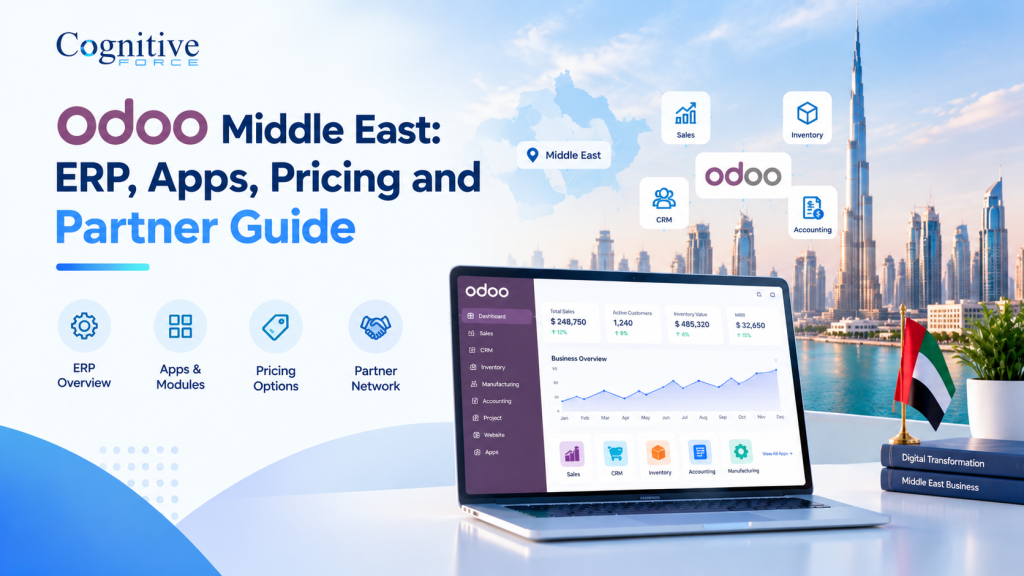
Choosing an ERP system in the Middle East rarely starts with software. It starts with a problem: a month-end close that runs late, stock counts that never match, or invoices typed into three different systems. CognitiveForce, a Dubai-based company providing Odoo implementation, customisation, integration, migration, training and support across the MENA region, wrote this Odoo Middle East guide for the people who have to make that decision.
Odoo itself runs a regional office in Dubai, so to be clear, this guide is for buyers comparing Odoo software, apps and implementation options. It covers how Odoo ERP works, which applications to start with, the regional requirements worth checking early, how to prepare for a demo, what drives total cost, and how to compare partners. Where rules or plans can change, we link to the official source.
What Odoo ERP means for Middle East businesses
Odoo software is a suite of business applications that share one database. Sales, accounting, purchasing, inventory, projects and reporting read and write the same records. When a salesperson confirms an order, the warehouse and finance teams see it straight away, without anyone re-keying it.
For a growing company, the gains are usually practical rather than dramatic. Teams stop copying data between spreadsheets and accounting software. Managers read reports from live records instead of month-end extracts. Approvals, permissions and document templates sit in one system, and a well-run Odoo ERP implementation and support arrangement gives you one party to call when something breaks.
Odoo is not the right answer for every business, though, and integration alone does not fix an unclear process. Companies with highly specialised industry software, unusual regulatory reporting or very large transaction volumes may need a deeper assessment first. Poor data quality, unclear process ownership and rushed timelines can undermine any ERP project, whichever platform it uses.
Here is an illustrative example, not a client case. A Dubai trading company runs two warehouses and sells through a sales team, a website and a small retail counter. Orders arrive in different tools, stock is reconciled weekly and invoices are raised by hand. Odoo could connect Sales, Inventory, Accounting and Point of Sale so each order updates stock and creates one invoice. The same company would still need to review its customs, courier and marketplace integrations before go-live.
Odoo software and apps: choosing the right modules
Odoo apps are modules built on the same platform, and each one covers a business function. You can switch them on as needed. Choosing carefully matters more than installing everything, because every active app adds configuration, testing, training and data to manage.
| App | What it helps with | A useful question to ask |
|---|---|---|
| CRM and Sales | Leads, quotations, orders, sales reports | How do our quotes, discounts and approvals work? |
| Accounting | Invoicing, payments, bank reconciliation, tax reports | Is the localisation set up for our tax and reporting needs? |
| Purchase and Inventory | Supplier orders, stock, warehouses, traceability | How many warehouses and stock rules do we run? |
| Manufacturing | Bills of materials, work orders, production planning | Do we need quality checks, maintenance or subcontracting? |
| Project and Timesheets | Tasks, project costing, time billing | Do we bill by milestone, hours or contract? |
| Human Resources | Employee records, leave, expenses | Which payroll rules apply to our workforce? |
| Website and eCommerce | Online catalogue, orders linked to stock and accounts | Which payment and delivery services must connect? |
| Point of Sale | Retail and restaurant sales synced with stock | Do we need offline mode and multi-branch reporting? |
Standard apps cover many workflows, but most companies need a few additions: a custom approval step, a tailored report, or a link to a payment gateway, courier or older system. Ask which requirements are configuration, which are customisation and which depend on third-party tools. Odoo customisation and integration services exist for exactly that gap.
Some industries need more than the standard apps. Odoo real estate software typically adds lease and sales contracts, post-dated cheque tracking and commission handling. Odoo construction software focuses on BOQ-based costing, subcontractor management and project purchasing.
ERP requirements across the Middle East
People searching for Odoo Middle East usually want to know one thing: will it work with local tax and reporting rules? Odoo provides localisation tools, and your version, configuration and processes decide whether they fit. The points below focus on the UAE, with notes on Saudi Arabia and other GCC markets. Treat them as a discovery checklist, not as legal or tax advice.
- Entities, currencies and languages. Groups with several legal entities, branches or currencies need consolidated reporting and clear intercompany handling. Odoo’s pricing page places multi-company use under its Custom plan, so confirm this early. Decide whether invoices and customer documents are needed in Arabic and English, including right-to-left layouts, and who maintains the translations.
- UAE VAT and corporate tax. Odoo’s UAE localisation documentation describes a localised chart of accounts, VAT tax groups, standard journals and reports, plus tags for corporate tax reporting. Corporate tax applies to financial years starting on or after 1 June 2023, at a headline rate of 9% on taxable profit above the exempt threshold. The software structures the data. Your tax adviser decides the treatment.
- UAE e-invoicing. The Ministry of Finance is phasing in mandatory electronic invoicing through Accredited Service Providers, covering business-to-business and business-to-government transactions. KPMG’s July 2026 summary gives 1 January 2027 for larger businesses and 1 July 2027 for the rest, and Sovos notes that consumer sales are excluded. Ask which Odoo version, connector and provider your partner proposes, and check the Ministry’s latest guidance before committing.
- Saudi Arabia and the wider GCC. Saudi Arabia’s tax authority, ZATCA, runs its own e-invoicing programme with an integration phase introduced in waves, so a UAE setup is not automatically ready for a Saudi entity. Other GCC markets have their own VAT and reporting rules. Verify each country against official guidance instead of assuming one configuration covers them all.
- Hosting and data location. Odoo Online, Odoo.sh and on-premise hosting differ in control and responsibility, and the options depend on your plan. For UAE e-invoicing, KPMG notes that electronic records must be stored within the UAE, so ask where your data and backups will sit.
Odoo demo: what should your business evaluate?
The most useful Odoo demo feels like a rehearsal of your own business, not a product tour. A generic click-through shows what the software can do in general. You need to know whether it can handle your quotations, approvals, stock rules and reports.
Prepare your business requirements before the demo
Write down the three or four problems you most want to solve, such as slow month-end close, stock mismatches or delayed invoicing. Then map the workflow behind each one: who starts it, who approves it, which documents it produces and where the data goes next.
Give the provider a short pack: the number and type of users, locations and legal entities, current systems, key reports, integrations you cannot drop and the data you expect to migrate. A list of exceptions, such as the awkward customer, the unusual tax case or the product bundle, tells a presenter more than a list of standard processes.
Agree success criteria in advance. For example: “Create a quotation with our discount rules and watch it flow into a stock movement and an invoice.”
Questions to ask during an Odoo demo
Use the demo to separate three things: what Odoo does out of the box, what needs configuration, and what needs custom development or a third-party tool. Ask the presenter to label each step. These questions help:
- Workflow: Can you run our quotation-to-cash scenario with our data, step by step?
- Customisation: Which parts of what we have seen are standard, which are configured and which are custom?
- Reporting: Can you build the report our finance director uses today?
- Migration: How would our customers, products and opening balances be imported and checked?
- Integrations: Which of our systems connect natively, and which need a custom connector?
- Training: Who trains our users, in what format and in which languages?
- Scope and support: What does the implementation include, what counts as a change request, and who handles fixes and upgrades after go-live?
- Growth: How would we add an entity, branch or app later?
Be cautious if a customisation is described as easy without being scoped. A demo shows that something is possible. It does not confirm the effort, the maintenance burden or the effect on future upgrades.
Once your requirements are written down, the natural next step is a demo run against them. You can request an Odoo demo from CognitiveForce and bring this checklist along.
Odoo pricing and total cost of ownership
Search results for Odoo pricing usually jump to a per-user figure. That number matters, but it is only one part of what you will spend. We don’t quote figures here, because plans, hosting and project scope change, and the right answer depends on your requirements.
Start with the software subscription. Odoo’s pricing page describes Standard and Custom plans, with a One App Free option alongside them. According to Odoo, Standard runs on Odoo Online without custom modules. Custom adds a choice of Odoo Online, Odoo.sh or on-premise hosting, plus Odoo Studio, multi-company use and external API access. Odoo says hosting on Odoo Online, support and upgrades are included, while hosting custom developments on Odoo.sh and maintaining custom code are not. Plan names and inclusions can change with new releases, so check the page on the day you budget.
The subscription is not the implementation. Professional services cover discovery, configuration, data migration, testing, training, go-live support and any customisation or integration. Their cost depends on how many apps you use, how many users and entities you have, how clean your data is and how many systems must connect.
After go-live, plan for support, maintenance of custom code, upgrades, training for new staff and changes as the business grows. Odoo issues a major version every year, so upgrade planning belongs in the ownership picture from the start.
| Cost area | What it covers | What to ask |
|---|---|---|
| Software subscription | Plan, users, selected apps, hosting inclusions | Which plan fits our customisation and multi-company needs? |
| Implementation | Discovery, setup, migration, testing, training | What is in scope, and what is excluded? |
| Customisation and integration | Custom modules, connectors, reports | Who maintains this after go-live? |
| Hosting and security | Odoo Online, Odoo.sh or on-premise; backups, access | Where is our data stored, and who manages it? |
| Support and change | Fixes, upgrades, new users, new features | What does support include, and how are changes handled? |
How to choose an Odoo partner in the Middle East
A partner shapes your project as much as the software does. Odoo partners vary widely in size, industry focus and credentials, and many are based in Dubai and across the region. Start with what you can verify. Search Odoo’s official partner directory for the UAE, and ask any shortlisted provider for its partner level and the names of its certified consultants.
| Area | What to look for | How to test it |
|---|---|---|
| Industry understanding | Experience with your sector’s workflows | Ask them to walk through your quote-to-cash or lease-to-cash cycle |
| Credentials | Verified partner status and consultant certifications | Check Odoo’s directory and ask for consultant names |
| Discovery | A structured requirements phase with written outputs | Ask for a sample discovery document |
| Delivery plan | Phases, migration approach, testing and training | Request a sample project plan with responsibilities |
| Customisation and integration | Clear standard-versus-custom boundaries | Ask how custom code is tested and maintained through upgrades |
| Support | Defined channels, response expectations, upgrade handling | Ask for the support terms in writing |
| Communication | A named lead, regular reporting, change control | Ask who your day-to-day contact will be |
To judge whether a provider understands your operations, listen to the questions they ask. Good partners probe your exceptions, reports and approvals before they talk about modules.
CognitiveForce is one option to evaluate. According to its website, it provides Odoo implementation, customisation, integration, support and maintenance, training and migration from a Dubai office, and publishes industry pages for real estate, construction, manufacturing, services companies and restaurants. As with any provider, ask for verifiable references, confirm partner status in Odoo’s directory, and test their approach with the demo questions above.
Frequently Asked Questions About Odoo in the Middle East
What is Odoo, and how can Middle East businesses use it?
Odoo is a suite of integrated business applications covering accounting, sales, inventory, purchasing, projects and HR. Middle East businesses use it to connect these functions in one database, adding local tax setup, Arabic and English documents, multi-currency accounting and integrations as their operations require.
Is Odoo suitable for businesses operating in the UAE?
Often, yes, but suitability depends on your processes. Odoo provides a UAE accounting localisation with VAT tax groups and reports, and it supports multiple companies and currencies. Check corporate tax reporting, e-invoicing through an accredited provider and any industry-specific workflows during discovery.
What affects Odoo pricing for a business?
Pricing depends on the Odoo plan, number of users, hosting choice and applications used. Implementation adds configuration, data migration, customisation, integration and training. Ongoing support, upgrades and maintenance of custom code also matter. Confirm current licensing on Odoo’s website and request a scoped proposal.
How can a business prepare for an Odoo demo?
List the problems you want to solve, document the workflows behind them and gather sample data, reports and integrations. Ask the provider to demonstrate your scenarios and to label each step as standard, configured or custom. A written scope afterwards makes proposals easier to compare.
Which Odoo apps might a growing company need?
Most start with Accounting, Sales or CRM, Purchase and Inventory. Companies with production add Manufacturing, service firms add Project and Timesheets, and retail or food businesses add Point of Sale or Website. Add apps when a process needs them, because each one requires configuration and training.
How should a business choose an Odoo implementation partner?
Verify partner status in Odoo’s directory, ask for relevant references and test their understanding with your own scenarios. Compare discovery method, migration and training plans, customisation approach, support terms and communication. A clear written scope matters more than a long feature list.
Conclusion
Evaluating Odoo in the Middle East comes down to four checks. Do the apps fit your processes? Are VAT, corporate tax and e-invoicing handled for your country? Do you understand the full cost of ownership? Can your partner show how they will deliver? Bring your own scenarios to every demo, insist on a written scope and verify claims against official sources. If you would like to test Odoo against your requirements, request an Odoo consultation or demo from CognitiveForce and the team can walk through your workflows with you.